Base Wallet
Base Wallet's smart wallet mode ("Base mode") is not yet supported on Acurast. If you have it enabled, you will need to disable it before connecting to the Acurast Hub.
Error
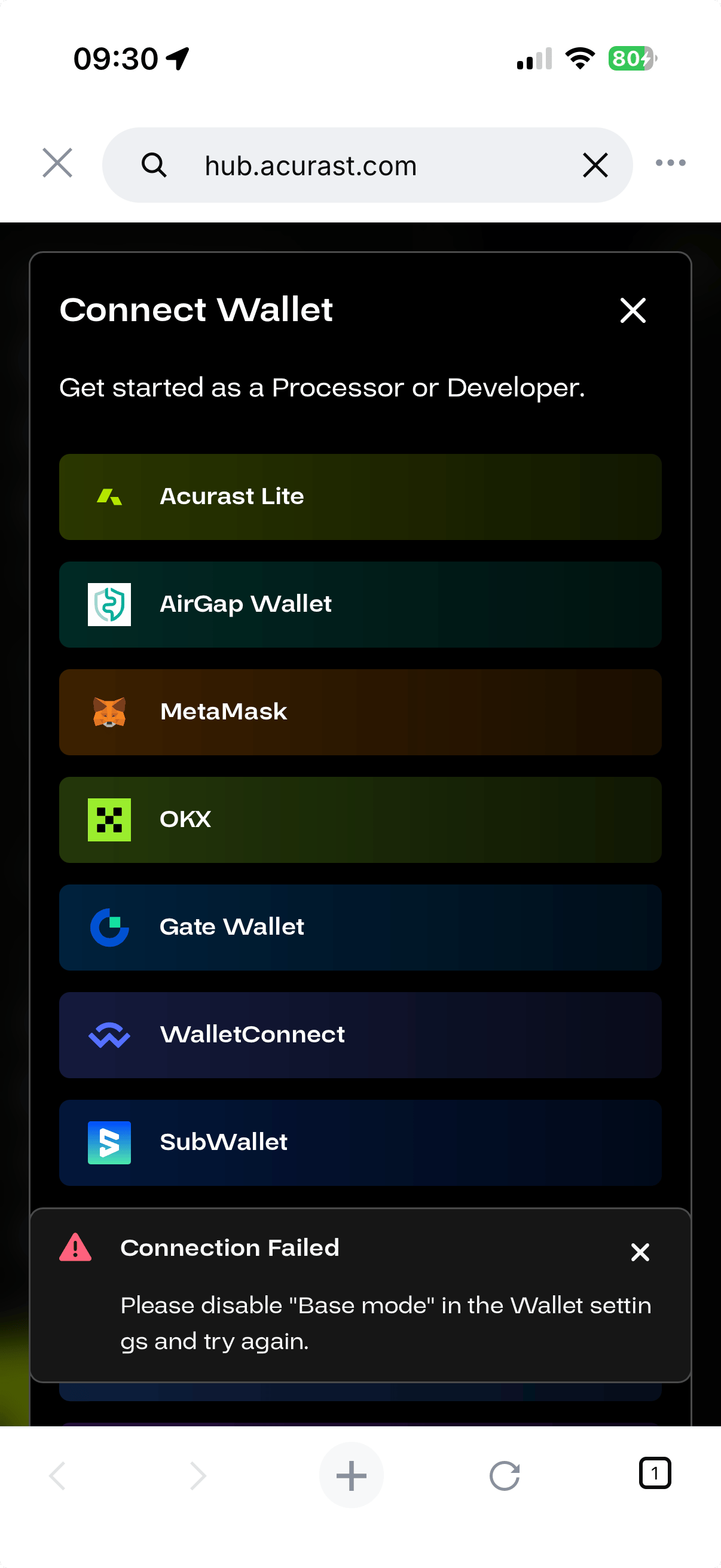
When trying to connect with "Base mode" enabled, you will see the following error:
Connection Failed — Please disable "Base mode" in the Wallet settings and try again.
How to disable Base mode
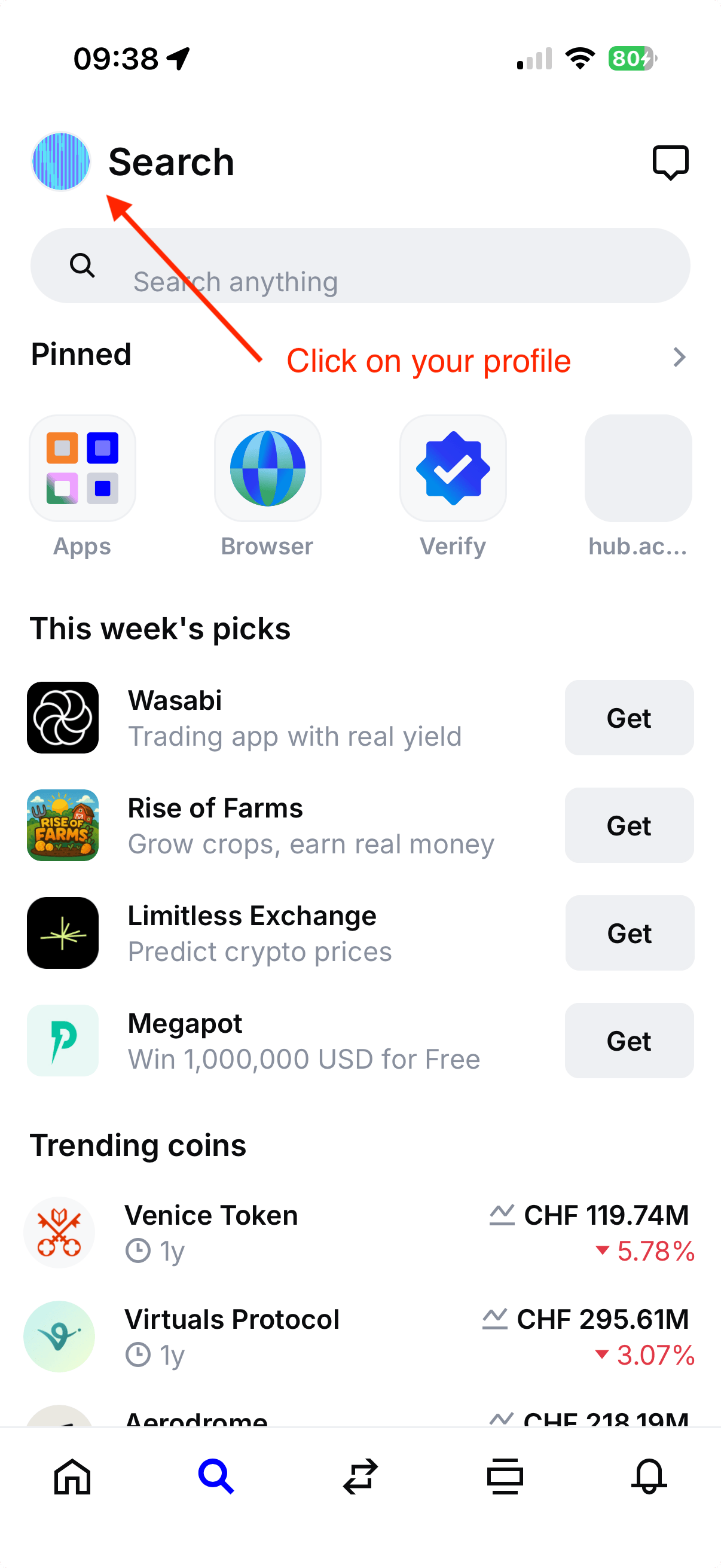
- Open the Coinbase Wallet app and tap your profile icon (top-left).
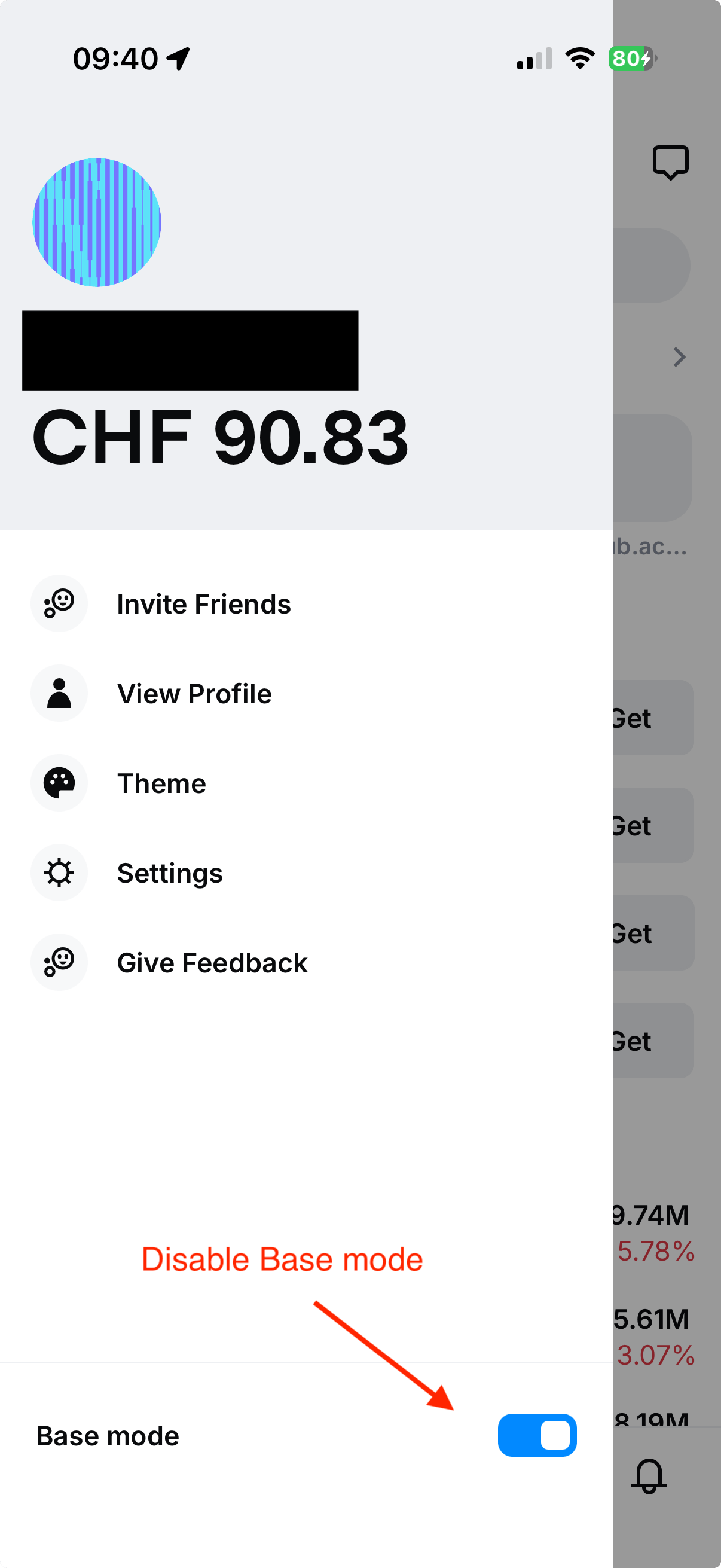
- Scroll down and toggle off Base mode.
- Go back to hub.acurast.com and reconnect your wallet.